概要
阶段一、再次实现简单的Popover Demo。
阶段二、熟悉NSNotificationCenter中UserInfo参数传递。
#阶段一
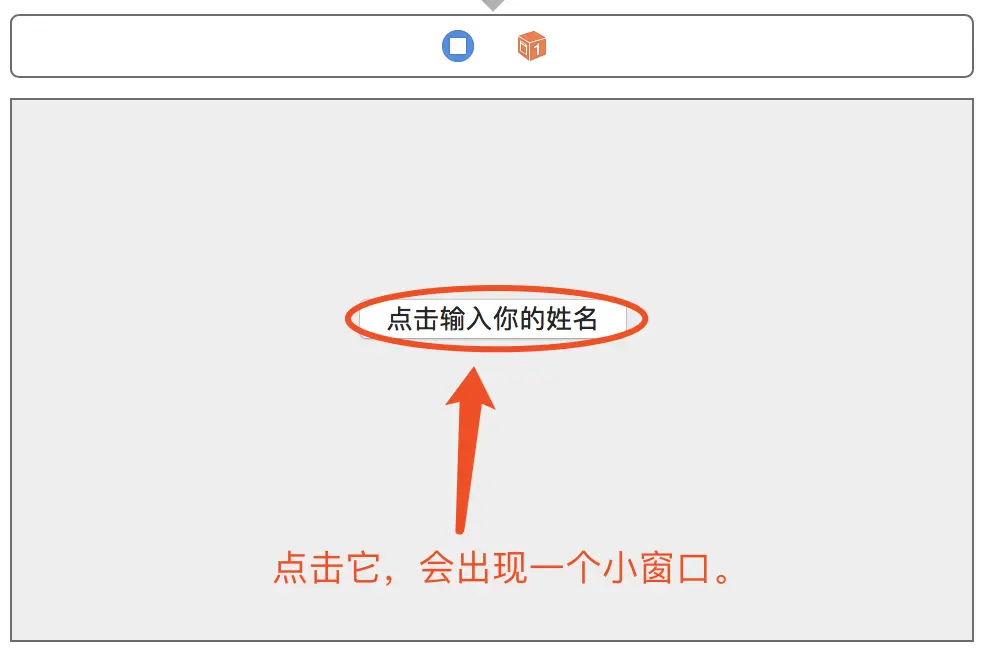
1、新建工程,在默认的View Controller中加入一个按钮。
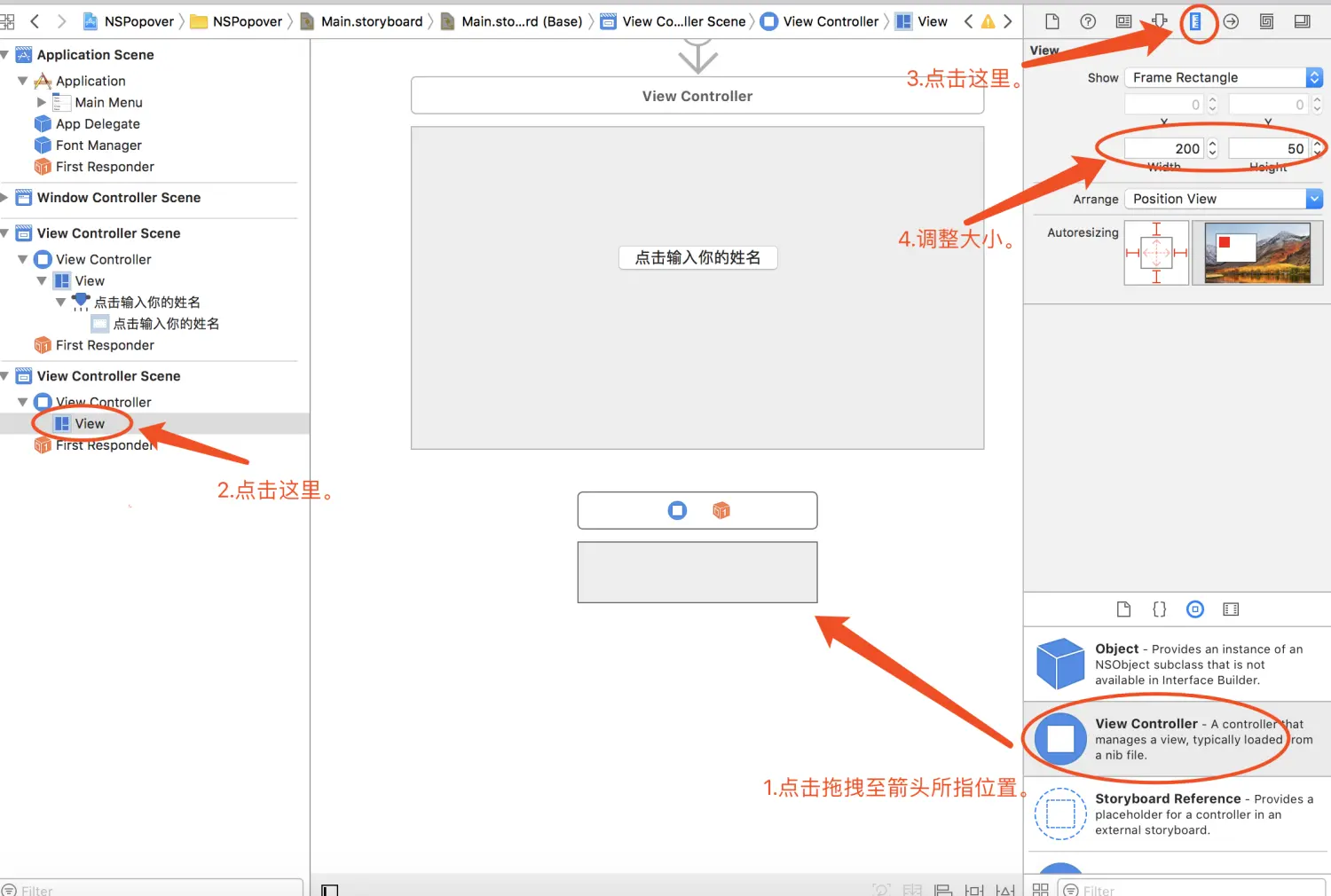
2、添加一个新的View Controller,并设置其大小为200*50。
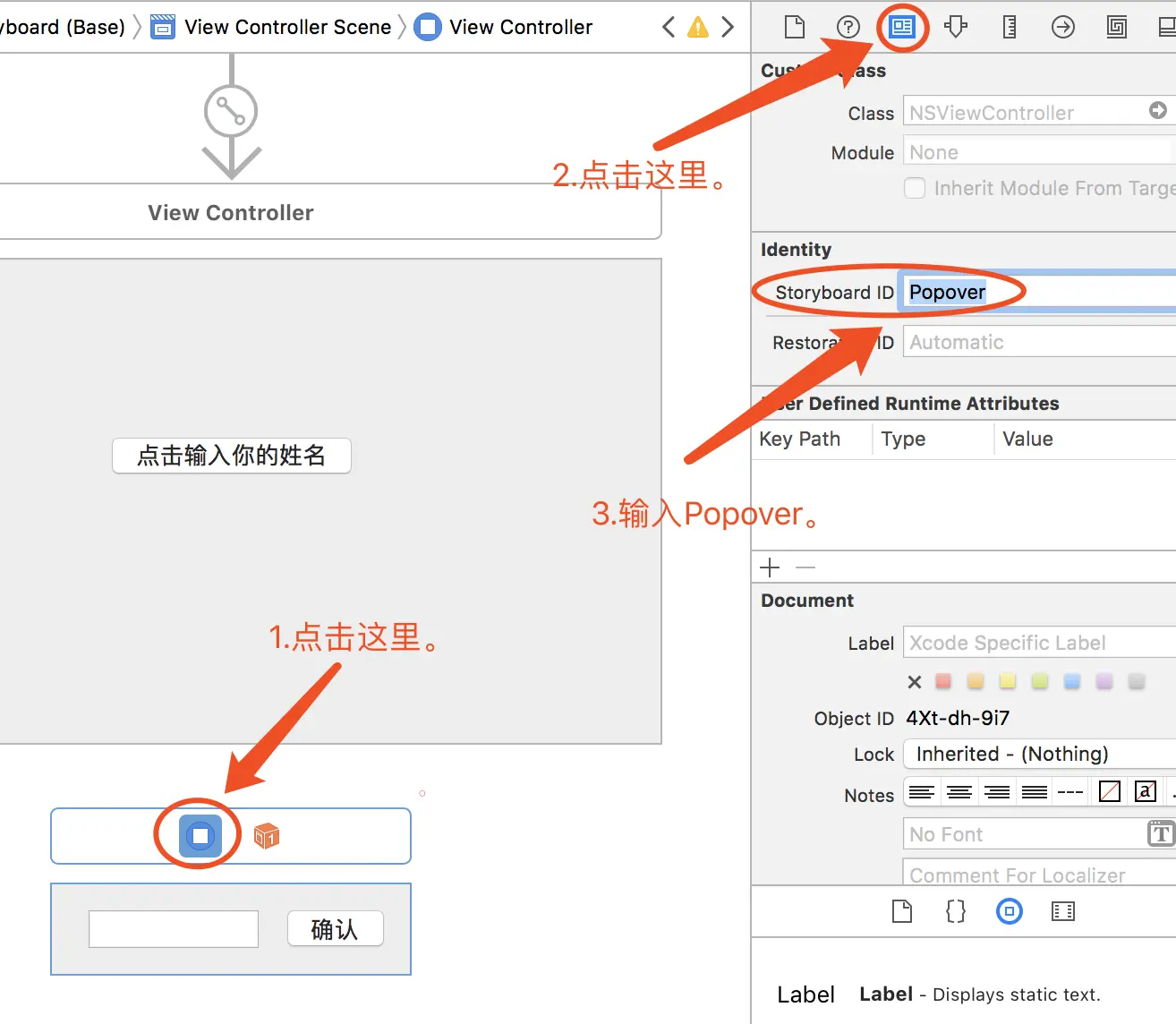
3、设置其StoryBoard ID为“Popover”。
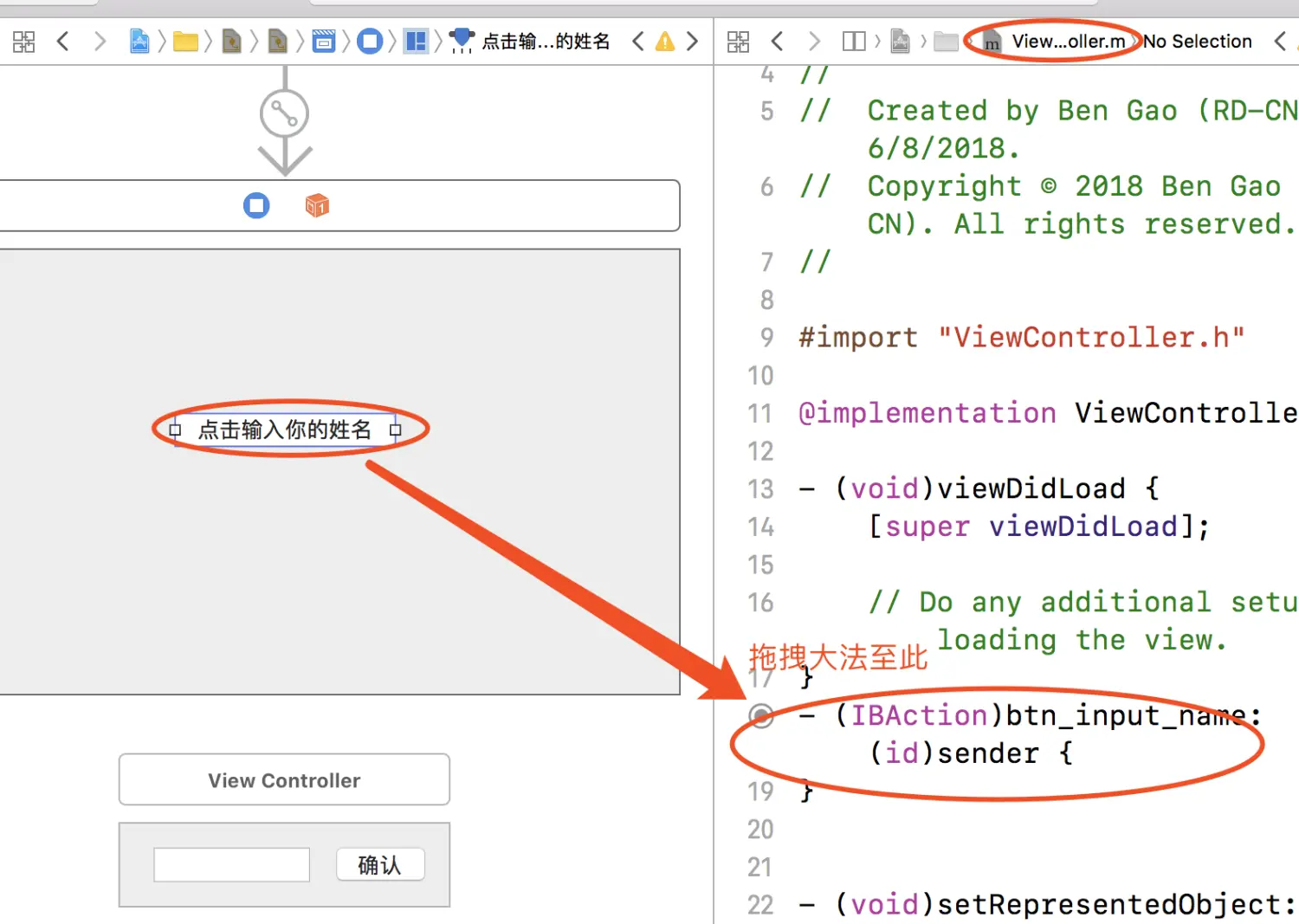
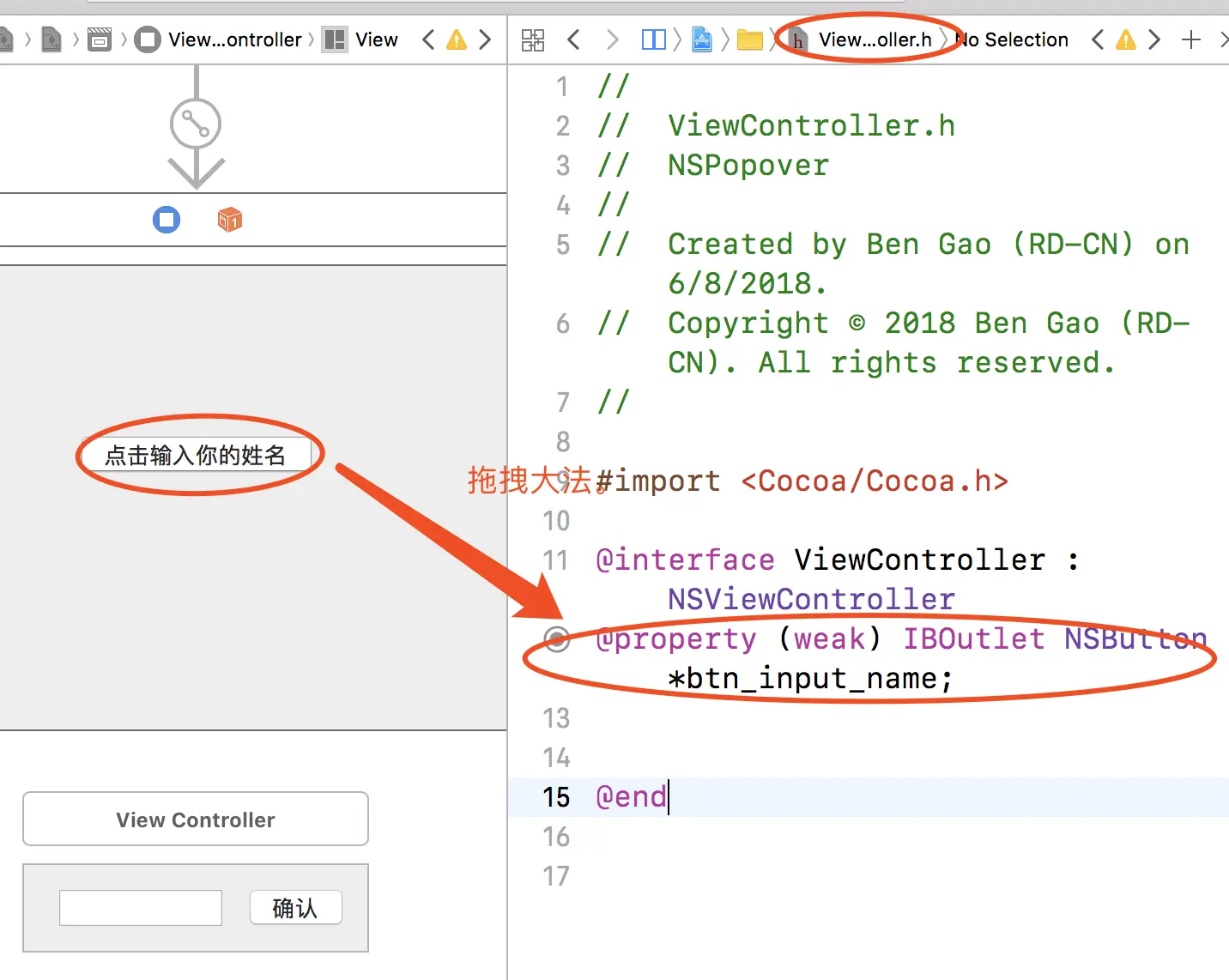
4、将“点击输入你的姓名”按钮,拖拽大法至ViewController.m内。
5、btn_input_name按钮的代码如下:
1 2 3 4 5 6 7 - (IBAction)btn_input_name:(id)sender { NSViewController* vc = [[NSStoryboard storyboardWithName:@"Main" bundle:nil] instantiateControllerWithIdentifier:@"Popover"]; NSPopover *popover = [[NSPopover alloc] init]; popover.contentViewController = vc; popover.behavior = NSPopoverBehaviorTransient; //自动关闭popover [popover showRelativeToRect:_btn_input_name.bounds ofView:_btn_input_name preferredEdge:NSRectEdgeMaxY]; }
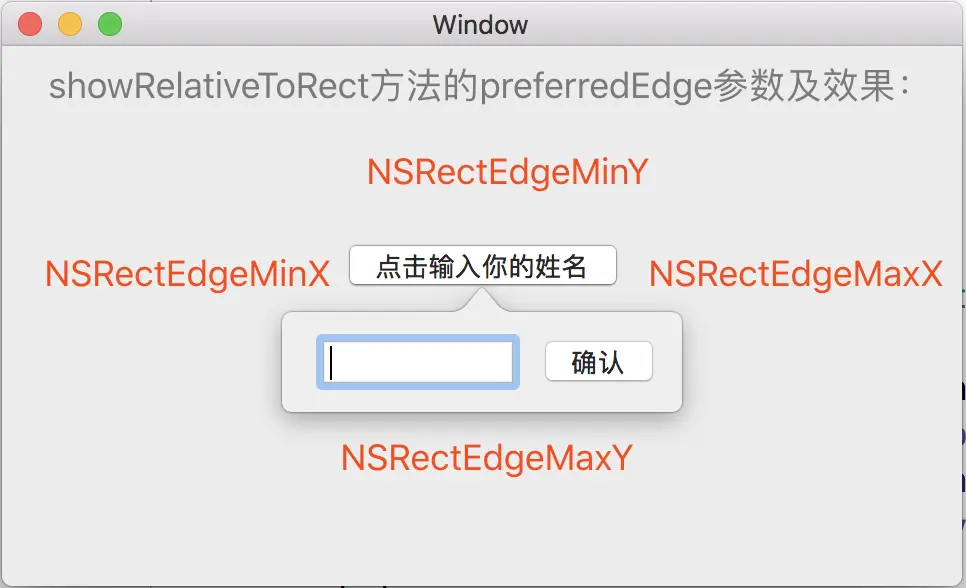
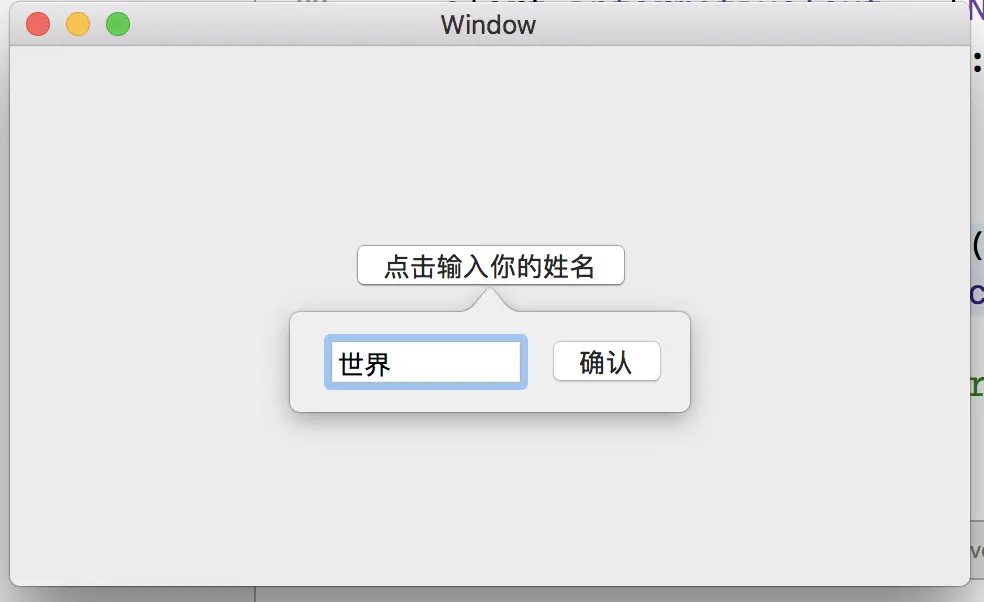
6、阶段一完成,效果如下。
#阶段二
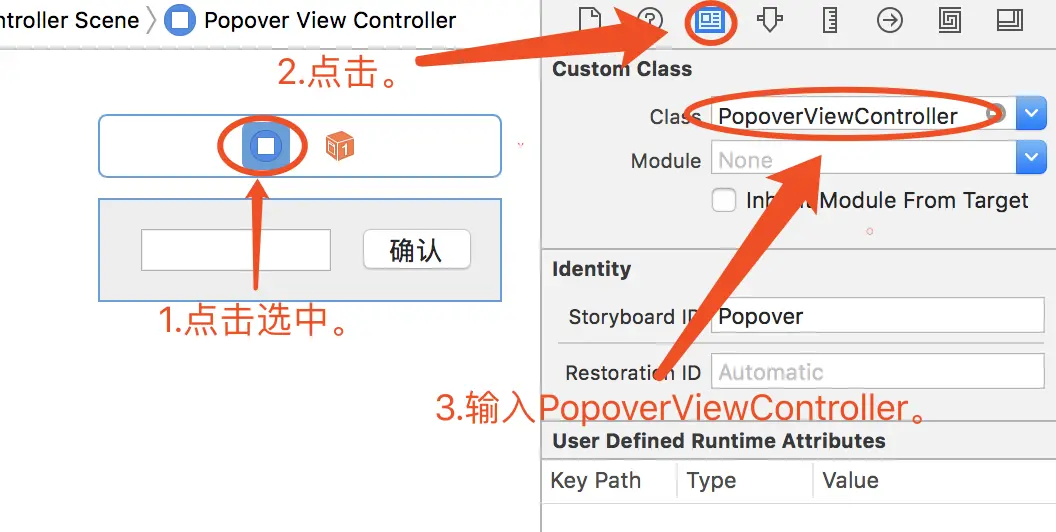
1、创建一个NSViewController的子类“PopoverViewController”,并且设置"Popover"的Custom Class为“PopoverViewController”。
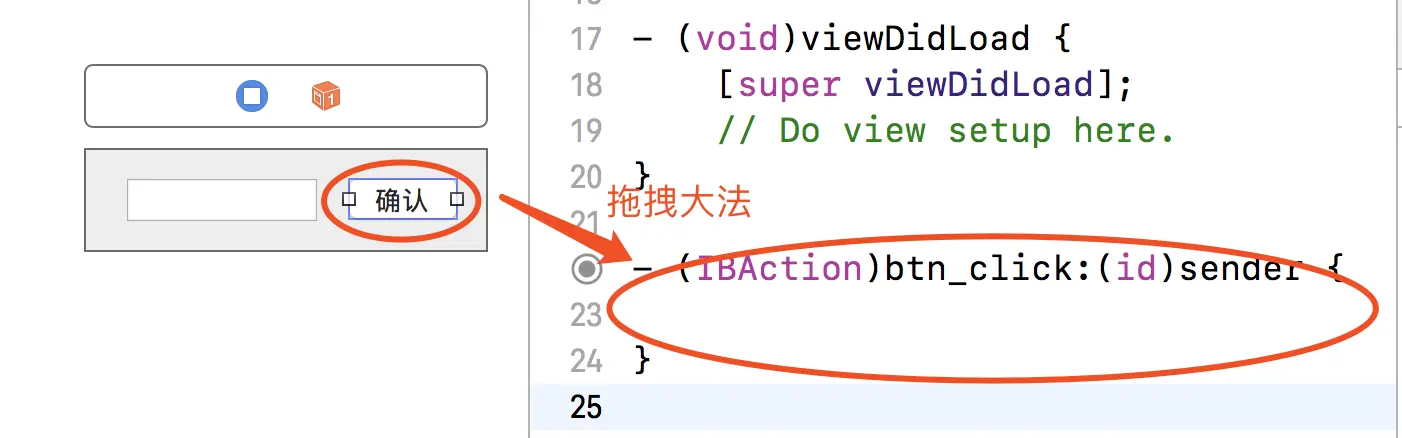
2、拖拽大法,将“确认”按钮拖拽至PopoverViewController中。
3、添加代码。
1 2 3 4 5 - (IBAction)btn_click:(id)sender { NSNotificationCenter* nc = [NSNotificationCenter defaultCenter]; NSString *name = _text_name.stringValue; [nc postNotificationName:@"click" object:self userInfo:@{@"name":name}]; }
4、在ViewController.m中添加代码。
1 2 3 4 5 6 7 8 9 10 11 12 13 14 15 16 17 - (void)viewDidLoad { [super viewDidLoad]; // Do any additional setup after loading the view. NSNotificationCenter *nc = [NSNotificationCenter defaultCenter]; [nc addObserver:self selector:@selector(sayHi:) name:@"click" object:nil]; } -(void) sayHi:(NSNotification *)nc{ NSAlert *alert = [[NSAlert alloc] init]; NSString*name = nc.userInfo[@"name"]; alert.messageText = @"系统提示:"; alert.informativeText = [NSString stringWithFormat:@"你好,%@!",name]; [alert addButtonWithTitle:@"你好"]; [alert runModal]; }
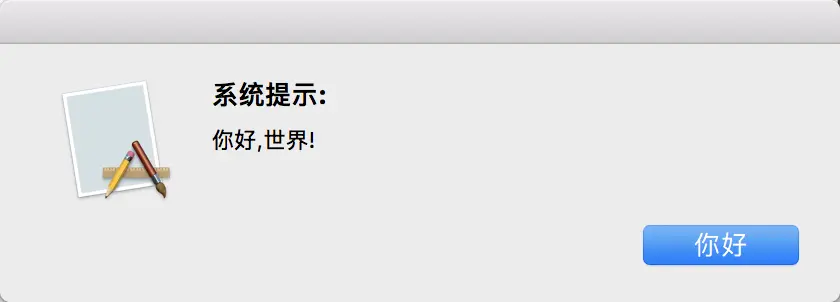
5、阶段二完成,效果如下。